
Automation tools are used every day, even if we don’t notice them. From email apps organizing messages to websites sorting form submissions, these systems work behind the scenes. Terms like filters, paths, and formatters might sound technical, but they are just ways to help automation make decisions and process data efficiently. Understanding these concepts can help beginners see how digital tasks are managed automatically.
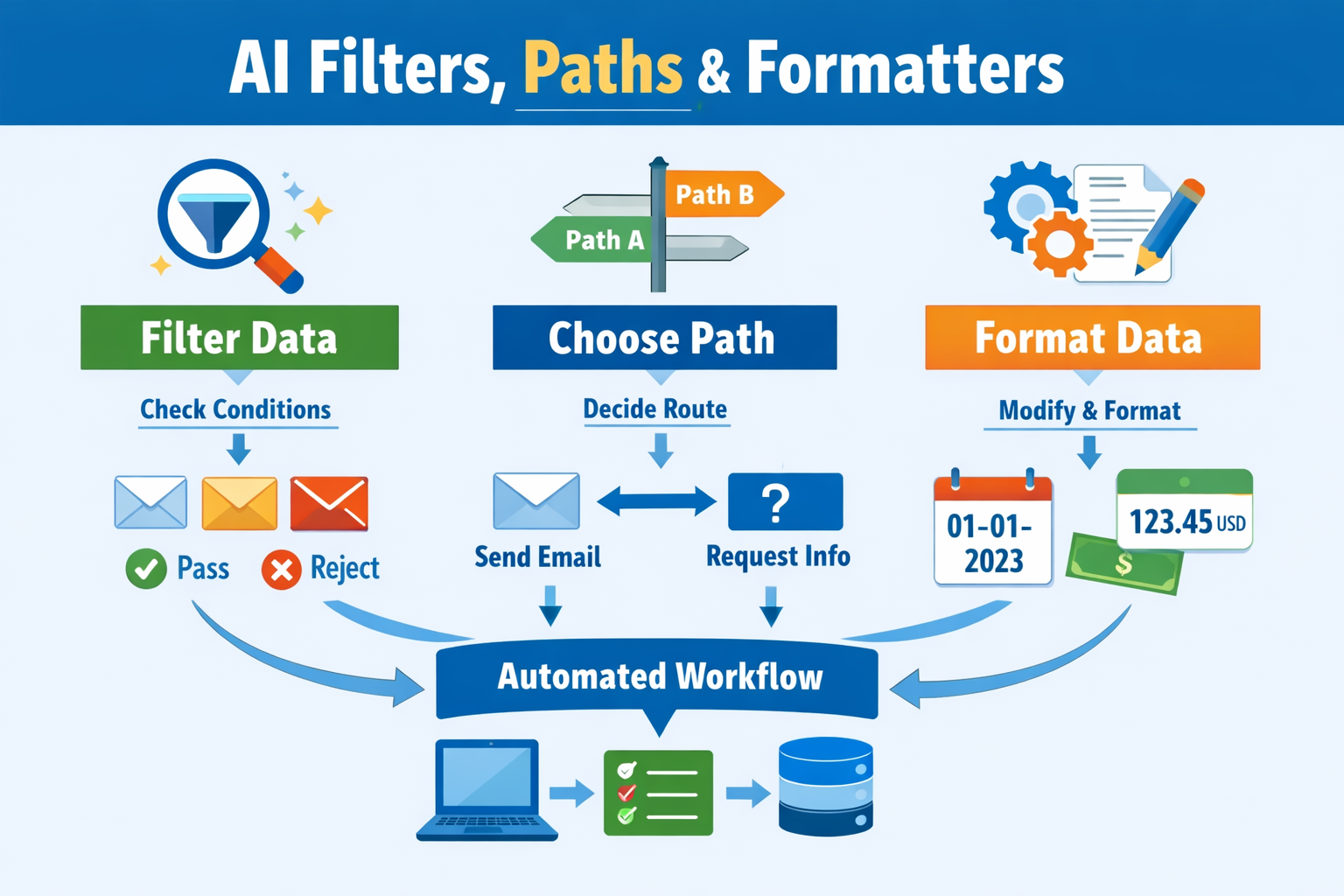
In simple terms, filters, paths, and formatters act together to decide what to handle, where it goes, and how it is formatted. Each plays a unique role in making automation reliable and easy to follow.
Understanding Automation in Everyday Life
Automation is all about setting up systems to do repetitive tasks automatically. Instead of manually sorting emails or updating spreadsheets, automation tools perform these steps for you, consistently and quickly. This saves time and reduces mistakes caused by human error.
Filters, paths, and formatters are essential parts of this process. Filters decide which information is important, paths guide that information to the right place, and formatters make sure the data is in the correct format. Together, they create smooth workflows that operate with minimal human intervention while still allowing oversight when needed.
What are AI Filters and How They Work
Filters work like digital gatekeepers. They examine incoming data and determine whether it should continue through the workflow or be ignored. This ensures that only relevant information moves forward, keeping automation efficient and focused. Without filters, systems could waste time processing unnecessary data.
For example, an online store might receive hundreds of emails daily. A filter can identify order-related messages and pass them to the order system, while ignoring unrelated emails. This makes sure the right tasks get attention and helps avoid clutter in the workflow.
What are AI Paths
Once a piece of information passes a filter, paths determine what happens next. Think of paths as branching roads: depending on the data, it may go in one direction or another. Paths give automation flexibility to handle different scenarios automatically.
For instance, a website form might take two paths. If the form is complete, the system sends a confirmation email. If it is missing details, the system requests more information. Paths allow automation to respond differently based on conditions, making it adaptable to real-life situations.
What are AI Formatters
Formatters prepare data for the next stage in the workflow. They clean, organize, or adjust information so it is compatible with other systems. Without proper formatting, automation could fail or produce errors.
An example is formatting dates or currency. A formatter might convert “1/11/2026” to “January 11, 2026” or standardize a price to “$123.45.” By keeping data consistent, formatters ensure smooth processing and accurate results.
How Filters, Paths, and Formatters Work Together

These three elements often operate in sequence. A filter first decides which data is relevant. Then, paths determine the correct route based on the data’s characteristics. Finally, formatters prepare the data to meet the requirements of the next system.
This sequence allows automation to work efficiently, reducing errors and freeing up human time for more complex decisions. By combining filters, paths, and formatters, even complex workflows can operate smoothly without constant manual input.
Practical Use Cases
In customer support, filters can identify the type of incoming ticket, paths can send urgent tickets to a human agent while routine requests go to a chatbot, and formatters can standardize the data for internal tracking. In content moderation, filters detect inappropriate content, paths send flagged items for review, and formatters organize text for reporting. Even in data entry, these components ensure only relevant transactions are processed, routed correctly, and formatted consistently for dashboards or spreadsheets.
These examples show that filters, paths, and formatters are not just technical concepts—they are tools that make digital tasks faster, more organized, and reliable.
Read More: How AI Automation Works in Everyday Digital Tasks
Explore More: AI filters
Responsible Automation
Even the most advanced automation needs human oversight. Regular monitoring is essential to ensure filters, paths, and formatters behave as expected. Human intervention helps catch exceptions, refine rules, and maintain ethical standards, especially when sensitive data is involved.
Automation should complement human work, not replace it. When implemented responsibly, it allows teams to focus on creative and strategic tasks while leaving repetitive processes to the system.
Key Takeaway
AI filters, paths, and formatters are essential for building efficient automated workflows. They decide what to process, where it goes, and how it is structured, ensuring systems operate reliably and consistently. By understanding these concepts, beginners can appreciate how automation works and how it can simplify everyday digital tasks while still keeping humans in control.