
Working with a US team from Asia can feel like living on a different planet. Your manager starts their day when you’re thinking about dinner, and “quick” questions can land at 2:00 a.m. If you try to mirror US hours, sleep suffers fast.
The goal is simple: stay reliable without turning your week into a string of late-night meetings. It also helps to remember one twist: US Daylight Saving Time changes in March and November, and it can shift your meeting times by an hour with no warning. Here’s a practical plan: set overlap hours, use the right tools, and go async when possible.
Start by mapping the real time gap, including Daylight Saving Time
First, write down the real gap between your location and the US coast you work with most. For example, India (IST) is usually far ahead of US Eastern and even further from US Pacific. Singapore and the Philippines often align closer to the US West Coast’s morning than the East Coast’s.
Then factor in US DST. In 2026, the US switches on March 8 and switches back on November 1. From March to November, the gap shrinks by one hour, so your “normal” meeting can suddenly feel later. If you want a quick explainer to share with teammates, this guide on how US DST shifts international calls is a helpful reference.
Expect confusion the week after a DST change, even on experienced teams. Double-check invites.
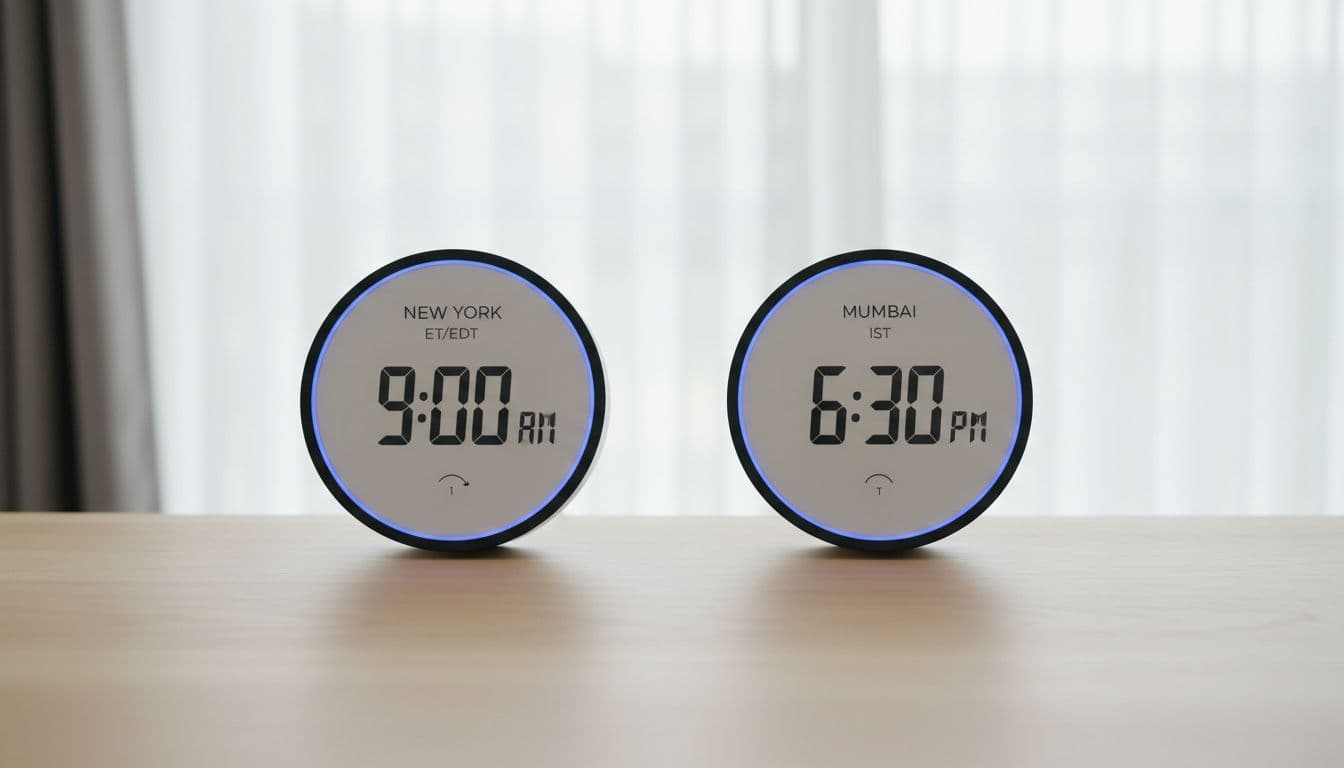
Quick reference examples you can copy into your notes
- 9:00 a.m. ET = 6:30 p.m. IST
- 9:00 a.m. PT = 12:00 a.m. in Singapore (next day)
- US morning usually means your evening in much of Asia
A simple DST checklist for March and November
- Verify all recurring meetings after the switch
- Confirm “my time or your time?” with the host once
- Update your working-hours status message
- Add calendar reminders one week before and after the change
Design your week around a small daily overlap window
Next, choose a small overlap window for live work, usually 1 to 2 hours. Use it for standup, blockers, pairing, and decisions that would drag out over chat. Protect the rest of your day for deep work and real sleep.
If you’re in East or Southeast Asia, you’ll often pick either early morning (to catch late US afternoon) or late evening (to catch US morning). Support roles may need a later window, while engineering and design often do best with fewer meetings and more async reviews. When meetings must happen, rotate time slots and record key calls so the same people aren’t always up late.
Pick your overlap hours, then guard them like an appointment
Pick your best 2-hour window, tell the team, and cluster meetings there. Keep one shared doc listing each person’s name, city, working hours, and (optionally) UTC.
Make meetings fair with rotation, recordings, and clear agendas
Rotate the time, require a short agenda, and end early when possible. If a decision fits in a message or a 2-minute video update, skip the meeting.
Use time zone friendly tools to prevent mistakes and reduce pings
Good tooling prevents “2:00 a.m. surprises.” Use side-by-side converters (World Time Buddy), add extra time zones in Google Calendar, and rely on “Find a time” instead of guessing. Slack Do Not Disturb keeps you from reacting to late pings, and “send later” in email helps you communicate during US hours without staying online. AI schedulers can help too, but the basics solve most problems.
A simple setup that takes 10 minutes and saves hours later
- Add a second time zone in Google Calendar
- Set working hours (and meeting availability)
- Turn on Slack DND for your sleep window
- Save a World Time Buddy link for your team’s core cities
Go async first, so time zones stop controlling your day
Async habits make distance boring, in a good way. Post a daily written update, keep decision logs, and define response-time expectations (for example, “reply within 24 hours”). Try a follow-the-sun handoff: what you finished, what’s next, and what’s blocked. You can be dependable without being always online, as long as your updates are clear.
If you need a team-friendly primer to share, Slack’s guide on asynchronous communication best practices explains the mindset well.
Write updates that answer questions before they are asked
Use this template at the end of your day (Slack, Notion, or email works):
- What I did
- What I’ll do next
- Blockers
- Links
Conclusion
Time zones don’t have to run your life. Map the gap (and DST), set a small daily overlap, use tools to prevent mistakes, and default to async for everything else. Pick your overlap hours today, update your calendar and Slack status, and share your working hours with your manager. Your future self will thank you when the next late meeting invite shows up.